Step-by-step guide · ~30 min to your first project

How to use augmented reality in education

A practical, five-step guide for educators and students. Learn how to plan, build, publish and share classroom AR projects with Artivive — the no-code platform used by 750,000+ creatives. No coding required.
No coding needed Works on phones, tablets & laptops Free templates & 3D elements
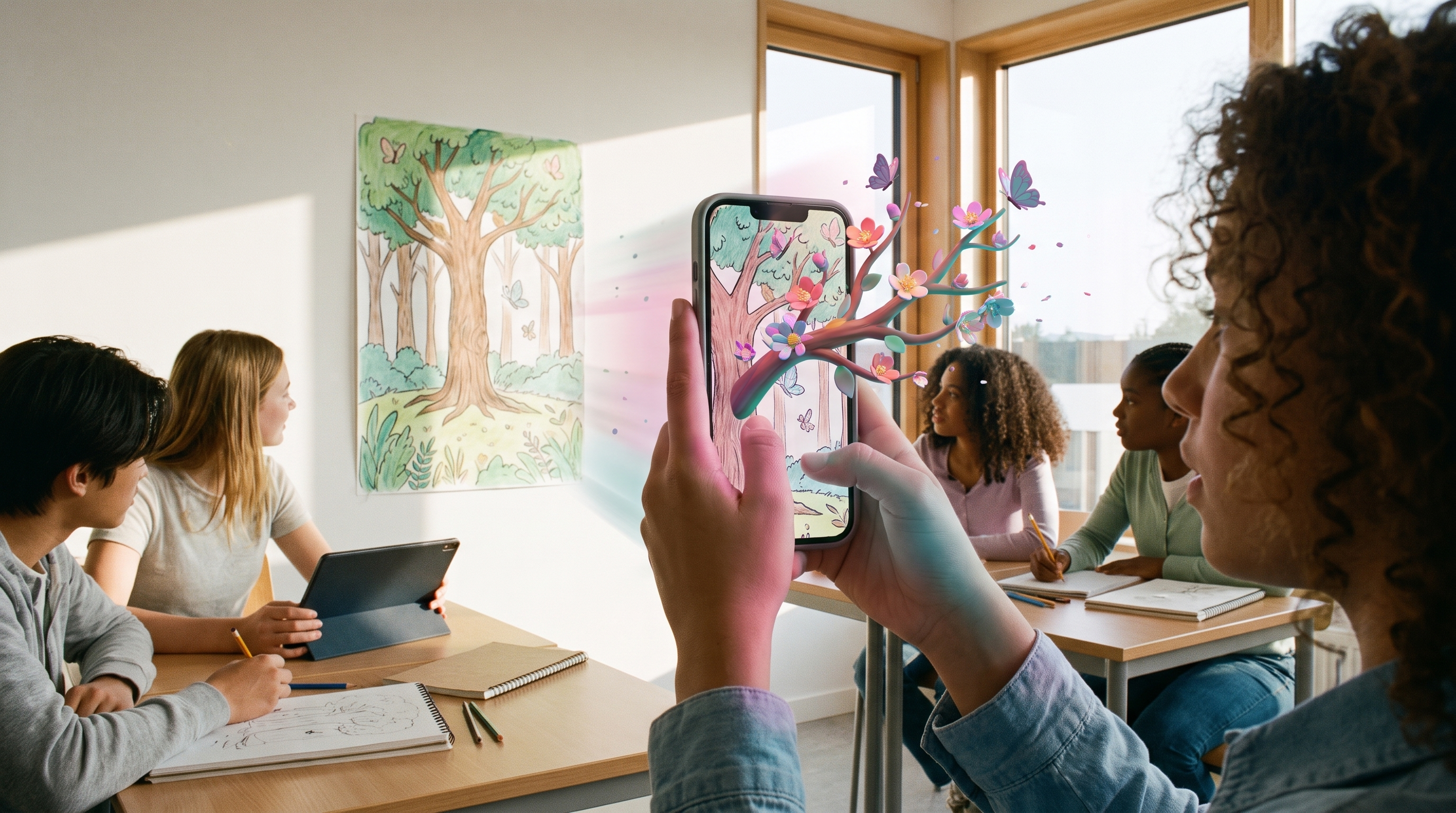
A student scans a classroom poster with a phone and an animated AR illustration bursts out of the screen
750k+
Creatives on Artivive
300+
Universities worldwide
190+
Countries
30%
More time engaging with AR
Why it works

What is augmented reality in education?

Augmented reality (AR) in education layers digital content — video, animation, audio or 3D models — onto physical student work like posters, artwork and project boards. With Artivive, students and teachers create these interactive experiences in minutes, turning school projects into hands-on learning while building real digital and storytelling skills.

01

Active, creative learning

Turns school projects into interactive experiences that connect physical work with digital content.

02

Future-ready skills

Builds practical digital, communication and storytelling skills students can actually use in their careers.

03

Deeper engagement

Students spend up to 30% more time engaging with AR content, aiding attention and retention.

The step-by-step guide

Bring AR into your classroom in 5 steps

Follow the guide from planning to showcase. Each step includes what to do, a teaching tip, and the outcome you should expect.

1
Step 1 · Plan

Define the learning objective

+

Start by clarifying what students should learn or demonstrate with Artivive. A clear objective ensures the AR layer adds real educational value, not just visual effects.

Common learning goals
  • Explain a concept or process visually
  • Communicate ideas using emerging tech
  • Tell stories or present research interactively
  • Showcase digital creativity and skills
Teaching tipTie the objective to a topic you already teach so AR reinforces your existing curriculum.
OutcomeStudents understand the "why" before they build.
2
Step 2 · Set up

Choose and upload the trigger image

+

The trigger image is the design that activates the AR experience when scanned. Students create or choose it, then upload it directly to the Artivive editor.

Good trigger images
  • Posters, flyers or infographics
  • Charts, project boards or mind maps
  • Book or magazine pages
  • Postcards, greeting cards or stickers
Teaching tipDetailed, high-contrast images scan best. See our guide on optimizing trigger images.
OutcomeA reliable, scannable anchor for the AR.
3
Step 3 · Create

Add the AR layers

+

Students build the digital content that appears in augmented reality — from scratch or with ready-made templates, effect layers and the built-in element library. Just add a layer with a click.

Layers students can add
  • Video: presentations, explanations, performances
  • Animations: motion graphics or illustrations
  • Audio: narration, interviews, soundscapes
  • 3D objects: models, sculptures, prototypes
Teaching tipStart from a template and swap in student content to save time in shorter lessons.
OutcomeA living, interactive digital layer.
4
Step 4 · Publish

Publish and test the experience

+

Once the layers are in place, students publish the project and view it in the Artivive app or via WebAR (no install, included in Pro Plus). Testing before sharing makes sure the AR works as intended.

How to publish
  • Name the artwork
  • Optionally add Artwork Info (creator, links)
  • Click Publish
  • Scan and test on a phone
Teaching tipAlways have students test on a real device before they present to the class.
OutcomeA working, shareable AR experience.
5
Step 5 · Share

Share or present the projects

+

Artivive projects can be viewed through the mobile app or WebAR (no installation required). Help your audience discover the experience with clear signage and a QR code.

Ways to share
  • A QR code to the app or WebAR experience
  • Wall-sticker or flyer templates marking AR
  • A class exhibition or showcase
  • Social media — tag @artiviveapp
Teaching tipTurn the showcase into an interactive exhibition where every piece comes to life.
OutcomeStudent work goes live and gets seen.
In practice

Ways to use Artivive in your class

There is no single way to use Artivive — explore these and find what works for your classroom.

Individual student projects

Each student creates an AR-enhanced visual to explain a topic, tell a story or present research.

Collaborative group work

Small teams combine ideas, content and design to build interactive AR experiences together.

Exhibitions and showcases

Turn student work into an interactive display where every piece comes to life with AR.

Learning through AR

Students explore 3D models, animated videos and interactive diagrams that make concepts easier to grasp.

For schools & universities

The Artivive Educational Package

A special offer built for classrooms: bundles of individual student accounts at a discounted price, so you can bring AR to your entire class affordably.

  • Bundles of 10+ individual student accounts
  • 50% off the standard Pro yearly price
  • Students register with Clever, Google, Facebook or email
  • Redeem with a simple code and start creating
Purchase the Educational Package
A phone hovers over a student poster and reveals an animated AR science diagram
Training & workshops

Prefer a guided start? Book a workshop

Live, hands-on sessions for students and teachers — beginner-friendly and tailored to what you teach.

01

Tailored to your class

Every session is customised to your subjects, audience and learning goals.

02

Hands-on learning

Students build their first real AR project during the workshop, not just watch a demo.

03

Interactive tech in the classroom

A memorable, engaging way to introduce augmented reality and emerging technology — students learn by creating and interacting.

Ready to plan a session?

We'll shape the workshop around your class and schedule.

Book a workshop
How schools use Artivive

Trusted by educators worldwide

From creative-tech workshops to anti-cyberbullying poster campaigns — real classrooms use Artivive every day.

Having run 30+ creative-tech workshops through the lens of storytelling and activism, Artivive is by far the most accessible and beginner-friendly tool for teaching students the foundations of augmented reality. It empowers people to confidently explore new software and bring their ideas to life.

Safiya Ahmed
Co-founder, Ricebox Studio — Design & Outreach Director

Students are always amazed when they first see Artivive in action. It gets them excited to design and gives them an enormous sense of accomplishment when they complete an augmented reality poster. We love it!

Anne M. Giangiulio
Associate Professor of Art, Graphic Design — UT El Paso
Good to know

Frequently asked questions

How do I get Artivive for my class? Is there a special educational offer?+

Yes. Artivive offers a special Educational Package for schools and universities. Institutions can buy bundles of student accounts at a discounted price, making it affordable to bring AR to your whole classroom. Reach out to our education specialist for pricing and options.

Can each student have their own individual account?+

Yes. Each student gets their own account and can register with Clever, Google, Facebook or email — no payment information required. Once your institution buys a bundle, students redeem their subscription with a code and start creating.

Do you offer training for students and teachers?+

Yes. We run live online workshops where students build their first AR projects, and training sessions for individual teachers or entire teaching teams — all tailored to your class topics. Free video tutorials are also available to follow at your own pace.

Do students need to know how to code to use AR?+

No. Artivive is a no-code, drag-and-drop editor as intuitive as Canva. Students and teachers create AR experiences without any technical or coding expertise, on iPads, phones or laptops.

What subjects or activities can I use Artivive for?+

Artivive works across any subject — creative storytelling, research presentations and hands-on learning. Explore 3D models in science, add historical footage to social-studies projects, or combine art and technology in STEAM activities.

Start today

Bring your classroom into the future

Sign up for a free account and start layering digital dimensions onto student work in seconds — or talk to us about the Educational Package and workshops.

Get the Educational Package Book a workshop